Dear customers,
great events are shaping our future. At the moment this applies to the Prolight + Sound in Frankfurt in April, for which the annual preparations have already started. This year, we will be present with a booth in the new Hall 12.0 and, of course, we will be available for any questions you may have.
At the same time we are also pushing ahead the development of the GigPlaner in order to be able to provide you with new functions and improvements on a regular basis. The current update, which will be available to you as usual from tomorrow, mainly contains smaller optimizations, which I would like to introduce to you below.
I hope you enjoy reading the update info and wish you continued success with the GigPlaner
Sven Schlotthauer
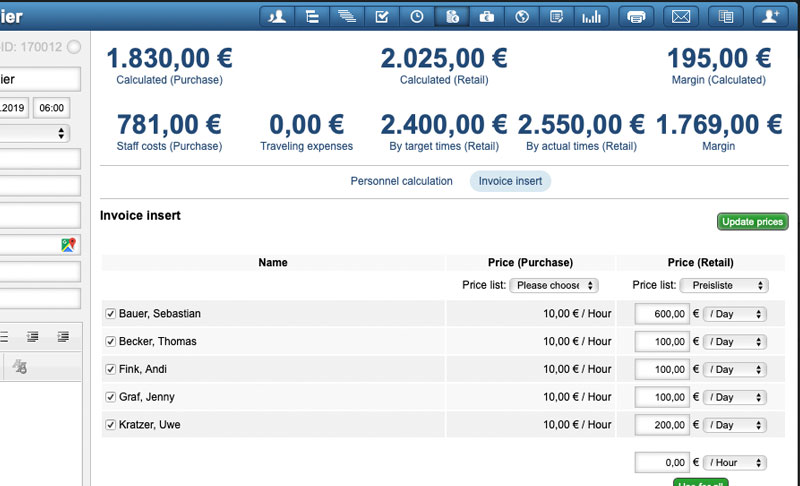
Invoice insert
The invoice insert has been extended by the display of the purchase prices of the individual employees. This allows you to adjust the sales prices to the purchase prices when needed. Furthermore, the statistical evaluation in the upper part of the page has been expanded so that not only the sales price but also the personnel costs and travel costs are spent there. In this way, you can see all the information you need to create the invoice insert at a glance.
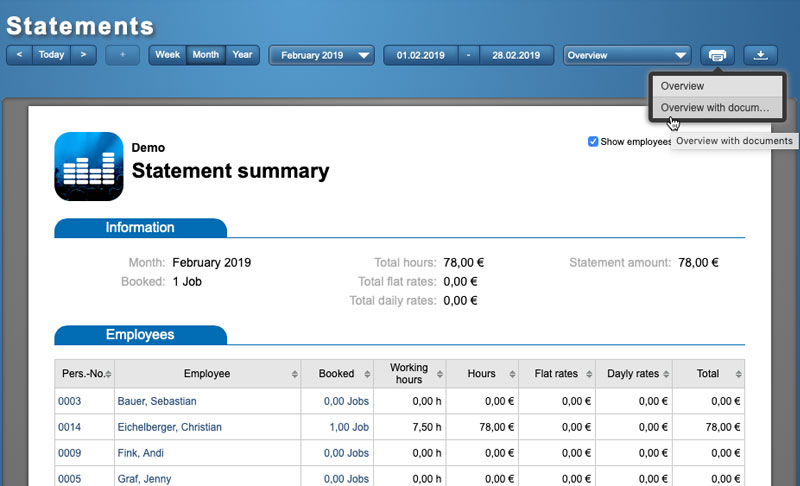
Statements & time recording
For both functions, statements and time recording, all single documents can now be attached when the overviews are printed (all employees of a month or the annual listing of a single employee). In this way you can print out all statements or the time recording of all employees for a month at one time, without having to click through each employee. In addition, it is now also possible to grant surcharges (night work, holiday work, etc.) even with daily rates.
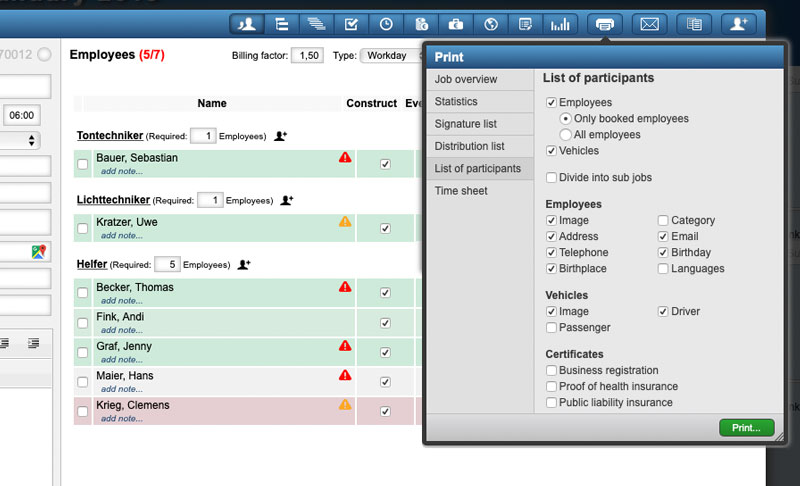
Lists of participants
The list of participants of a job can be used excellently to report the names and other information of the employees for example to the organizer or official agencies. With this version, we have additionally created the possibility to issue scheduled vehicles including the driver and to attach certificates (PDFs or JPGs) of the employees. The corresponding options can be selected when the list is created in a job.
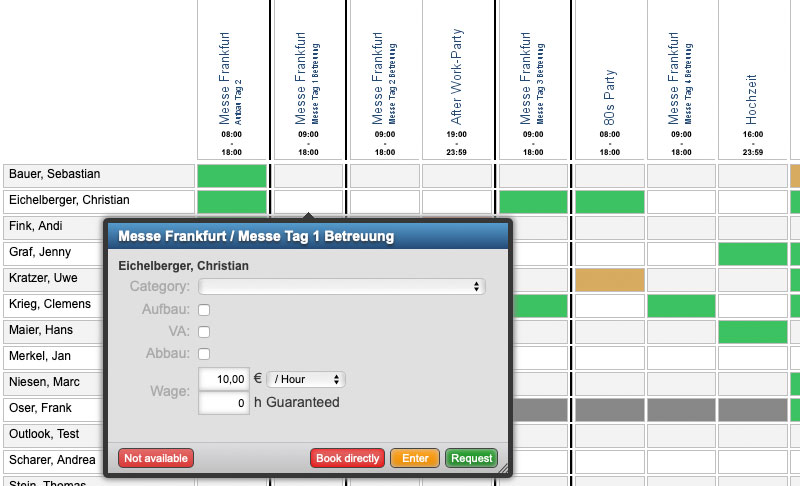
Planning views
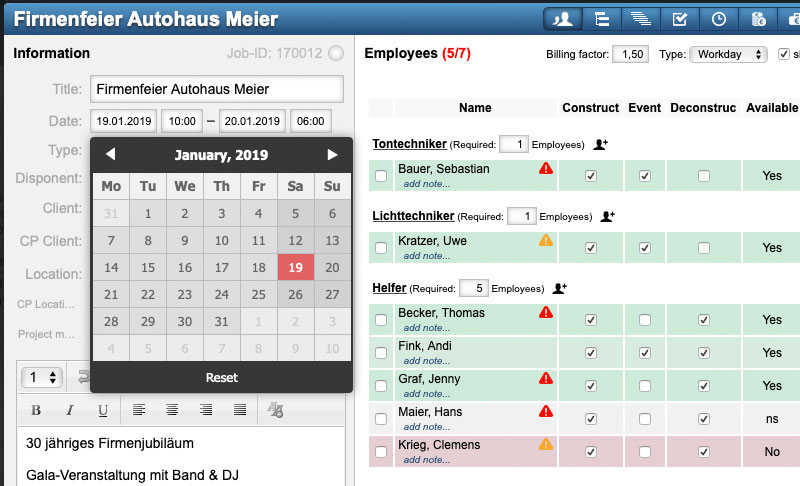
With the help of the planning view in the calendar and the project plan within a main job, employees can be quickly and easily distributed to jobs or sub-jobs. This is especially useful if you need to find or reschedule staff at short time. If the employees are requested by telephone about their availability, you can now also enter directly from these views if the employees are not available for one day.
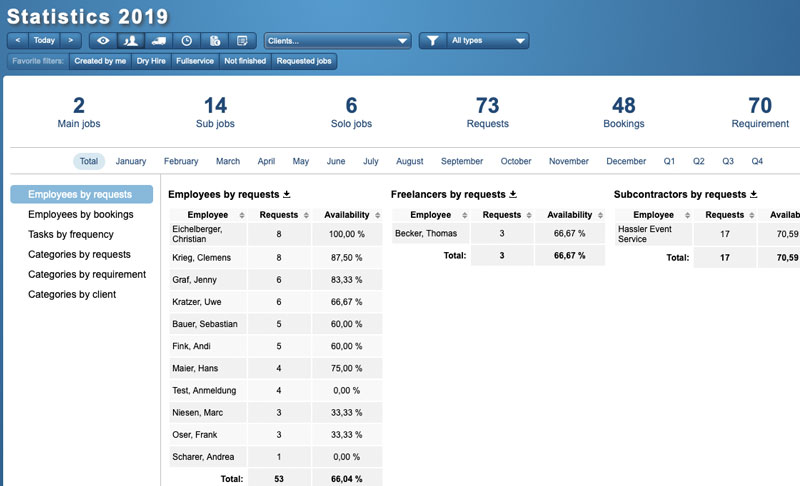
Statistics
The statistics of the requests will now be divided into employees, freelancers and service providers (if created). This ensures a better overview and comparability of the employees. In addition, the number of employees' bookings and the number of bookings (at the category level) of the customers can now be displayed.
Further adjustments
- For vehicles, images can now be stored, which can be included in the list of participants. In addition, additional data fields can now be created for vehicles in the settings.
- All date fields can now also be entered directly via the keyboard. Use the arrow keys to select the date and confirm by pressing Enter.
- The clock symbol in the employee list and in the calendar already shows the status of the working hours with red and green. In the future, orange will be added here and will indicate that there are target times recorded for the employee. Green means that the employee has recorded his actual times while red means that the recorded times exceed the target or frame times.
- The travel expenses can now also be sorted according to the approval date in the travel expense overview. In this way, you can easily create lists of approved travel expenses for one month.

Prolight + Sound 2019
The preparations for Prolight + Sound in Frankfurt have already started. From the 2nd to the 5th of April we present the GigPlaner in the new hall 12.0 at booth B58. And of course we will be available to you as usual for questions and answers this year. We are looking forward to your visit!