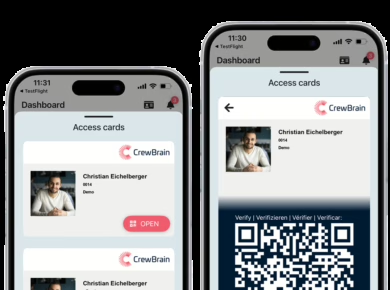
Transparency Note: We compare CrewBrain with alternatives as unbiased as possible – but of course we’re a bit biased and confident that our solution is excellent 🙂. We also based this comparison on publicly available information. It’s possible our comparison isn’t exhaustive or may become outdated, so please check with each provider for the latest details.
Target groups & industry focus
CrewBrain was designed specifically for event agencies, production companies and venues. Its features revolve around the needs of event crews and freelancers, such as assigning technicians, caterers, drivers or artist hospitality staff across multiple jobs. The software aims to provide a clear overview of staff availability, automatic notifications and a comprehensive record of working hours and qualifications.
OnSinch positions itself as an all‑round workforce management solution suitable for labour‑hire agencies, staffing platforms and companies that manage large, diverse teams. It supports multiple industries, languages and markets. While the platform can be configured for event staffing, its broader focus means that its tools cover a wide range of scenarios – from warehouse workers to construction crews. OnSinch is used by more than 120,000 workers and has recorded millions of hours scheduled on its platform1.
Functionalities
CrewBrain
- Staff planning: Clear, drag‑and‑drop calendar with yearly, monthly, weekly and daily views; search staff by name or skill; check availability at a glance; prevent double bookings and overlapping assignments.
- Project structure: Define events, sub‑events and tasks such as set‑up, show and tear‑down; assign exact start and end times per employee; record staff requirements and track coverage.
- Central database: Manage clients, venues and contacts in a single database; store precise locations and search for crew based on proximity.
- Personnel management: Each worker has a personal profile with access rights, categories and skill levels; emergency contacts and certificates can be saved; certificates can be filtered and reminders created when expirations approach.
- Time recording & payroll: Integrated digital time clock via web or mobile app; automatic calculation of hours, breaks and flexitime accounts; creation of statements based on hourly, daily or flat rates; invoice generation for clients including a record of hours and GPS verification.
- Holiday management: Staff can request holidays; holiday balances are automatically updated and appear in planning views.
- Mobile access: CrewBrain is web‑based; there is an optimised smartphone app with iCal subscription so staff can sync assignments with their own calendars.
OnSinch
- Staff scheduling: Mobile‑friendly shift scheduling with drag‑and‑drop; workers can self‑register for open shifts; real‑time availability check; recurring jobs; grouping of shifts and projects; Google Calendar sync; Google Maps integration for location‑based scheduling.
- Workforce management: Advanced worker database with custom attributes and badges; white‑label platform to match agency branding; staff portal for self‑registration; certificate management with expiration reminders; referral system for recruiting new workers; audit logs and access control.
- Communication: Real‑time notifications via push, SMS or email; automated updates for schedule changes; a built‑in content management system for news and announcements; client, worker and admin portals; multilingual support.
- Finance: Automated invoice generation and export as CSV; worker wallets for tracking payouts, reimbursements and bonuses; price lists and cost calculation; SEPA bulk payment capability.
- Client management: Client portal where customers can place orders and view profiles; dynamic price lists; central customer database with customizable fields.
Strengths & weaknesses
Why CrewBrain shines for event companies
- Event‑specific workflow: Everything in CrewBrain is tailored for event production – from sub‑events (setup, show, teardown) to integrated qualification management. This reduces friction and training time for event agencies.
- Integrated time tracking and payroll: CrewBrain consolidates time recording, holiday management and payroll into one system. Recorded hours flow directly into statements and invoices, reducing manual work.
- Cost transparency: Pricing starts with affordable packages for small teams and scales with named users and optional modules. The pay‑per‑user model makes costs predictable for agencies of all sizes.
When OnSinch might be advantageous
- Large and diverse workforces: OnSinch like CrewBrain supports multiple languages and the management of thousands of workers, making it attractive for agencies operating across markets or industries. Features like worker badges, referral tracking and comprehensive audit logs provide depth for complex staffing operations.
- Built‑in client portal and financial tools: The client portal allows customers to request staff directly, while the finance module handles invoicing, reimbursements and bulk payments.
- Highly customizable: Agencies can brand the platform with their own logo and define bespoke worker attributes, making OnSinch suitable for a range of use cases beyond events.
Potential limitations
- Complexity: OnSinch’s flexibility might come with greater setup and configuration effort. Smaller event agencies may find the learning curve steep, whereas CrewBrain’s focus on event workflow makes it easier to implement.
- Pricing opacity: OnSinch’s pricing starts around €200 per month with custom adjustments, which may not be cost‑effective for small teams. CrewBrain’s tiered packages (Essential, Standard, Enterprise) offer a clear entry point for event businesses.
- Limited Trial: OnSinch does not offer a self-service fully featured trial option. A demo call is needed and if a demo environment is set up, it includes mock data and has emails turned off.
Complementary use of both systems
Some companies might consider combining both platforms. For example, a large staffing agency could use OnSinch as the central database for a diverse workforce and run CrewBrain for specialized event projects requiring granular planning and time tracking. However, double entry of data and synchronization might offset the benefits. In most cases, it is more efficient to choose the system that aligns best with the company’s core business.
Technical integration
Both platforms are cloud‑based and accessible via modern web browsers. CrewBrain offers a responsive web interface and a smartphone‑optimised app with calendar subscription features. OnSinch also provides web and mobile access; its integration with Google Calendar, Google Maps and Twilio for SMS notifications expands the toolset. Neither platform currently offers a public API; integration with third‑party tools is handled through calendar feeds and exports.
Pricing & licence models
CrewBrain offers tiered packages. In the Essential tier (around €29 per month) up to ten named users are included; Standard (approx. €49) and Enterprise (approx. €69) tiers raise the user limit and add features. Additional named users can be added for a small fee per person. Optional modules, such as integrated time tracking or payroll, can be booked separately.
OnSinch uses a monthly subscription model that starts around €200 per month. Pricing depends on the number of workers and modules used. A pay‑as‑you‑go option is available for smaller agencies or occasional projects. Potential customers must request a demo to receive an exact quote.
Practical examples & use cases
- Festival and concert promoters: CrewBrain simplifies the coordination of stage crews, lighting technicians and hospitality staff across multi‑day events. Planners can assign workers to sub‑events, monitor availability, and ensure compliance with breaks and overtime rules.
- Corporate event agencies: For gala dinners or trade fairs, CrewBrain’s client and location database helps keep track of contact details, delivery addresses and special requirements. The integrated time‑tracking ensures that freelancers and internal staff are correctly compensated.
- Staffing platforms: OnSinch is well suited to companies managing large pools of temporary workers. The referral system encourages current workers to invite new hires, while badges and certificates help match talent to specific requirements.
- Logistics or security services: Agencies that provide labour for warehouses or security can benefit from OnSinch’s client portal and bulk payment features. Automatically generated invoices and SEPA transfers streamline administrative tasks.
Conclusion
Both OnSinch and CrewBrain offer robust tools for managing personnel. OnSinch caters to large, diverse workforces and delivers a broad range of modules – from scheduling to client management and finance – making it a flexible choice for multi‑industry staffing agencies. By contrast, CrewBrain was built specifically for the event industry. Its intuitive workflow, integrated time tracking and predictable pricing make it especially attractive for event planners, production companies and venues looking for a tailored solution that doesn’t require extensive configuration.
Ultimately, the best choice depends on your company’s size, complexity and core business. If your focus is on smooth event production with quick planning and comprehensive payroll, CrewBrain may be the more suitable partner. If you manage thousands of workers across various sectors and need a single platform for staffing, communication and finance, OnSinch could be worth exploring.
Curious? Test now with an extended 45 day trial – no payment method required!
As a thank you, we are giving you a 50 % longer trial period. This means you can test CrewBrain extensively with all its features for a full 45 days free of charge. Sounds good? Then simply click on the link and register – no payment details needed!
Offer valid until revoked. Not valid for existing accounts. Please make sure that you only register your demo version via this link. If the longer trial period is not automatically assigned to your account within 3 days, simply contact us by e-mail or telephone.
- Information as of October 2025 ↩︎