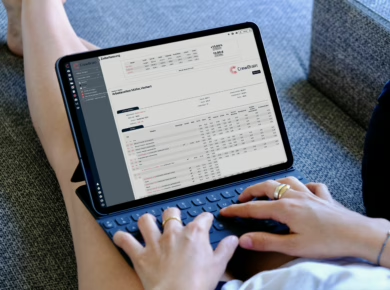
If you regularly work with external staff, you know the situation: Collaboration is supposed to be quick and flexible – but in practice, it often takes up unnecessary time. Requests are sent back and forth, changes are communicated through multiple channels, responses arrive late, and in the end, there’s still no clear overview.
This is usually not the fault of the teams involved, but rather the surrounding processes. That’s why it’s worth taking a closer look at common problems – and seeing how collaboration with external staff can be organized much more easily with CrewBrain.
1. Requests to subcontractors go through too many channels
A typical day-to-day scenario: Staffing needs are planned internally, then passed on to a subcontractor by email or phone, follow-up questions come separately, and changes are communicated in yet another way. This quickly leads to media disruptions, misunderstandings, and unnecessary coordination efforts.
This becomes especially confusing when multiple jobs are running in parallel.
With CrewBrain, this process can be mapped out much more cleanly – directly from within one system. And if both companies use CrewBrain, requests can even be synchronized directly between the systems. This saves manual steps and ensures everyone is working with the same data.
2. Responses come too late or are unclear
Another typical problem: It’s not immediately clear whether a subcontractor can actually fill the requested positions. Responses arrive late, are incomplete, or have to be pieced together from various messages.
This not only costs time, but also makes further scheduling more difficult.
CrewBrain helps to structure and document responses in a traceable way. When requests are transmitted digitally, answers can flow back cleanly into the system. This way, you can quickly see which positions have been confirmed and where further action may be needed.
3. Changes easily get lost in the coordination process
Changes are almost inevitable in staff planning. Work times shift, positions change, or additional people are needed. Especially when working with external staff, things can quickly become confusing if such changes are communicated via multiple channels or only reach the right contact person with delay.
The result is further questions, misunderstandings, and additional coordination effort.
With CrewBrain, changes in communication with the subcontractor can be mapped much more structurally. Information remains centrally bundled and is easier for the relevant contacts to track – and with an existing subcontractors connection, even down to the employee level, since the assigned staff are directly involved in the job. Especially in coordination between client and subcontractors, this reduces media breaks and helps keep changes cleanly within the process.
4. Data has to be maintained multiple times
One of the biggest time-wasters in working with external staff is double data entry. Information from requests is transferred manually, responses are entered separately, and personnel data is recorded or updated multiple times.
In addition to the extra effort, this also increases the risk of transfer errors.
CrewBrain significantly reduces this manual effort. Through digital collaboration between two CrewBrain systems, relevant information can be synchronized automatically. This saves time, improves data quality, and makes the entire process much more efficient.
5. Contractual documents are often not where you need them
Working with subcontractors is not just about requesting external staff and coordinating assignments. In everyday business, you often need quick access to the contractual basis of the collaboration – for example, to framework agreements or work contracts. If these documents are scattered across email inboxes, folder structures, or various drives, it wastes time and makes processes confusing.
With CrewBrain, such contractual documents can be managed directly in the system. Framework agreements or work contracts can be created from CrewBrain and sent directly to the subcontractor for signature. At the same time, the documents remain stored centrally in the system and are accessible at any time. This not only organizes operational collaboration neatly, but also everything that is contractually required.
Why digital collaboration with external staff makes such a difference
Most problems in working with subcontractors don’t arise because external staff planning is inherently complicated. They arise because information flows through various channels, data is maintained multiple times, and there is no shared, structured process.
This is exactly where CrewBrain comes in. The subcontractor function helps organize collaboration with external staff in a much leaner, more transparent, and more reliable way – especially when both sides use CrewBrain.
Benefits include, among others:
- structured transmission of requests
- traceable responses
- less double data entry
- more centralized communication for changes
- creation, sending, and storage of framework and work contracts directly in the system
Conclusion
External staff planning does not have to automatically mean additional coordination chaos. Many of the typical problems mainly arise where processes are manual, scattered, and lack transparency.
With CrewBrain, collaboration with external staff can be structured much more effectively. Requests, responses, changes, and contractual documents can all be managed cleanly in a digital process. This not only saves time, but also creates greater clarity and security in day-to-day business.
Our Special Offer for You: Test now with an extended 45 day trial – no payment method required!
As a thank you to our readers, we are giving you a 50 % longer trial period. This means you can test CrewBrain extensively with all its features for a full 45 days free of charge. Sounds good? Then simply click on the link and register – no payment details needed!
Offer valid until revoked. Not valid for existing accounts. Please make sure that you only register your demo version via this link. If the longer trial period is not automatically assigned to your account within 3 days, simply contact us by e-mail or telephone.

„Intuitive and flexible – At that time, we were looking for a solution to effectively plan and reach internal as well as external staff. CrewBrain stood out because of the easy connection to external service providers and the great app for employees. Software solutions often offer a static weekly schedule which is not very close to day-to-day operations for our industry. The job-based scheduling is great for our purposes. It was also important to us to what extent individual wishes and suggestions can be integrated. CrewBrain is very open and flexible in this area. Within a very short period of time, we were able to implement an interface to our order processing tool, which makes day-to-day business even easier.“
– Jochen Stubner, Head of Controlling/Purchasing