The festival season is already in full swing and, before many of our customers head off for their well-deserved summer holidays, we have prepared another new CrewBrain version which, as usual, includes further optimisations and workflow improvements.
Over the past few months, our team has primarily been working on the new project and job dialog, which is already available to many customers as part of the beta phase. In addition, this version also significantly expands the automatic creation of shifts, for example, so that people can now be scheduled directly for shifts as well.
We would like to introduce these and other new features to you in this update information. As usual, all features will be available in all CrewBrain accounts from tomorrow.
| Enhanced shifts Shifts can be used to create recurring entries in the calendar, for example for office or warehouse shifts. Shifts are defined under Administration > Calendar > Shifts and are then automatically created by the system every Sunday for the coming weeks. | 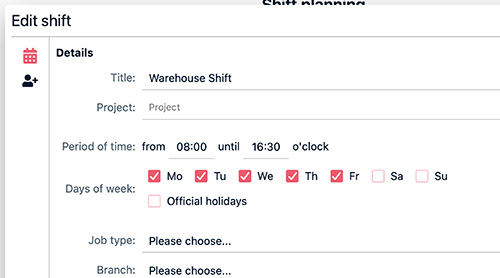 |
| Categories Categories can be defined directly for each shift. This makes it possible, for example, to specify for workshop shifts that at least one master technician and several assistants should be present. | Resources New is the option to also add resources, such as employees, to a shift. These can be assigned directly to the categories and can optionally also be provided with predefined times. In addition, a cycle can be specified, for example to map flexible shift models that repeat over several weeks. |
| Time clock This version includes extensions for both the central time clock and the time clock in the app. | 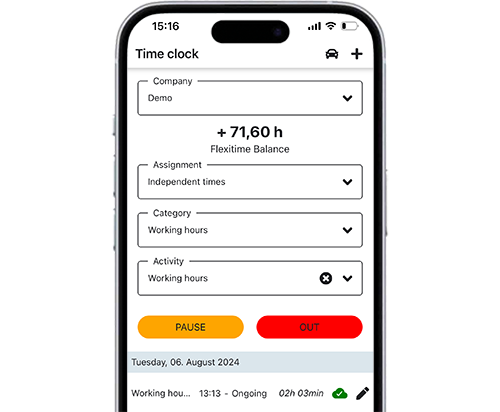 |
| Different times Employees can now optionally select a time when clocking in or out at which they would like the clocking action to be recorded. This helps, for example, if an employee has forgotten to clock in or out, or if the job does not start for another few minutes. This option is disabled by default; anyone who would like to use it must activate it in the desired user groups. | GPS position If a job is linked to a location, a radius can now be defined under Administration > Time Tracking > Settings for which automatic approval takes place. If an employee clocks in or out outside this radius, the time must be approved manually. In addition, in some countries it is now possible to require the recording of the GPS position; without a GPS position, participation in time tracking is then not possible (exclusively for customers outside the EU). |
| Time tracking Working time violations in particular are an extremely important compliance topic. CrewBrain has already been tracking and documenting these for several versions; with the current version, we are expanding these functions once again. | 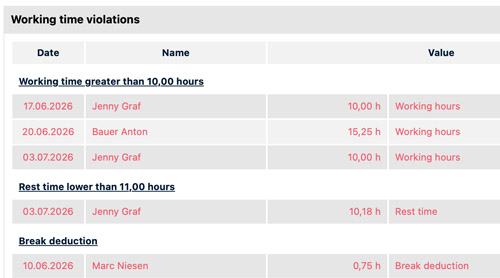 |
| Future violations The dashboard now includes a widget that explicitly points out future violations resulting from the planning. This makes it immediately apparent if an employee is expected to violate the rest period, and the case can be reviewed and adjusted individually. | Base hours Previously, base hours, such as for vacation days or public holidays, were automatically added when checking for violations. This resulted in violations that ultimately were not violations at all. In future, the system will recognise these constellations and hide such cases in the time violations. |
| Task templates For some time now, task templates have been able to be linked not only to job types, but also to individual weekdays. If a job takes place on a Sunday, a task for applying for Sunday work can therefore be created automatically. The same functionality will also be available in future for task templates that are based on the country of the respective location. This makes it possible to automatically trigger tasks for processes related to working assignments abroad. | 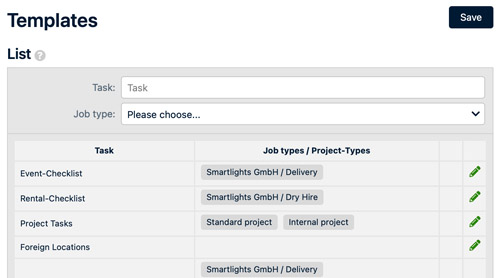 |
| Extensions in the new project and job dialog The new project and job dialog is also being continuously developed. Many missing functions are currently finding their way into the dialog step by step, including views for working times, tasks, sync with rental management systems and much more. We will shortly inform all participants in the beta phase separately about this. | 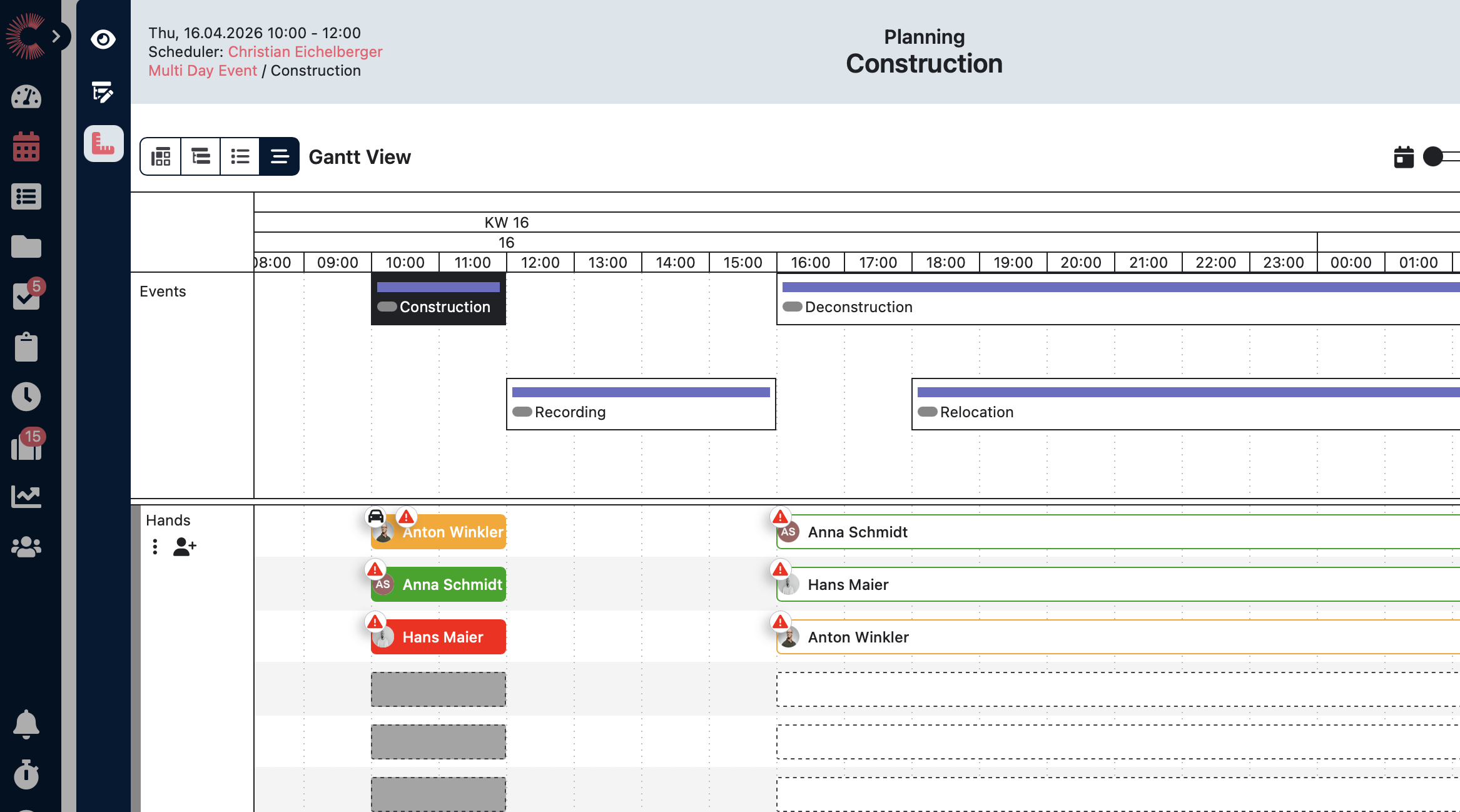 |
| Further optimisations As usual, we have also adjusted further points in the current update. | 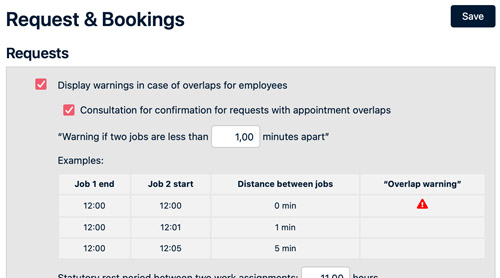 |
| ANÜ For the ANÜ documents, such as specifications, etc., it can now be defined per customer after how many days a reminder should be sent if the respective document has not yet been signed. | Certificates Previously, when certificates expired, only the respective employees were notified. In future, the administrators or supervisors of the respective person will also be notified. |
| Overlaps Under General > Jobs > Requests & Bookings, it can now be configured from when an overlap is considered a “real” red overlap. Previously, an overlap automatically became red when the start and end times were identical, for example if one job ended at 12:00 and the next started at 12:00. In future, it will be possible to define individually whether such directly consecutive jobs should be considered an overlap or not. |
| CrewBrain Connect We would like to involve our customers even more closely in further development and give them the opportunity to actively help shape the future of CrewBrain. For this reason, we are organising our event “CrewBrain Connect” for the first time this year under the motto: Share experiences. Experience CrewBrain. Receive first-hand information, share your experience with CrewBrain and work with us on the roadmap topics on 17 & 18 November 2026. All information about the event can be found at connect.crewbrain.com. | 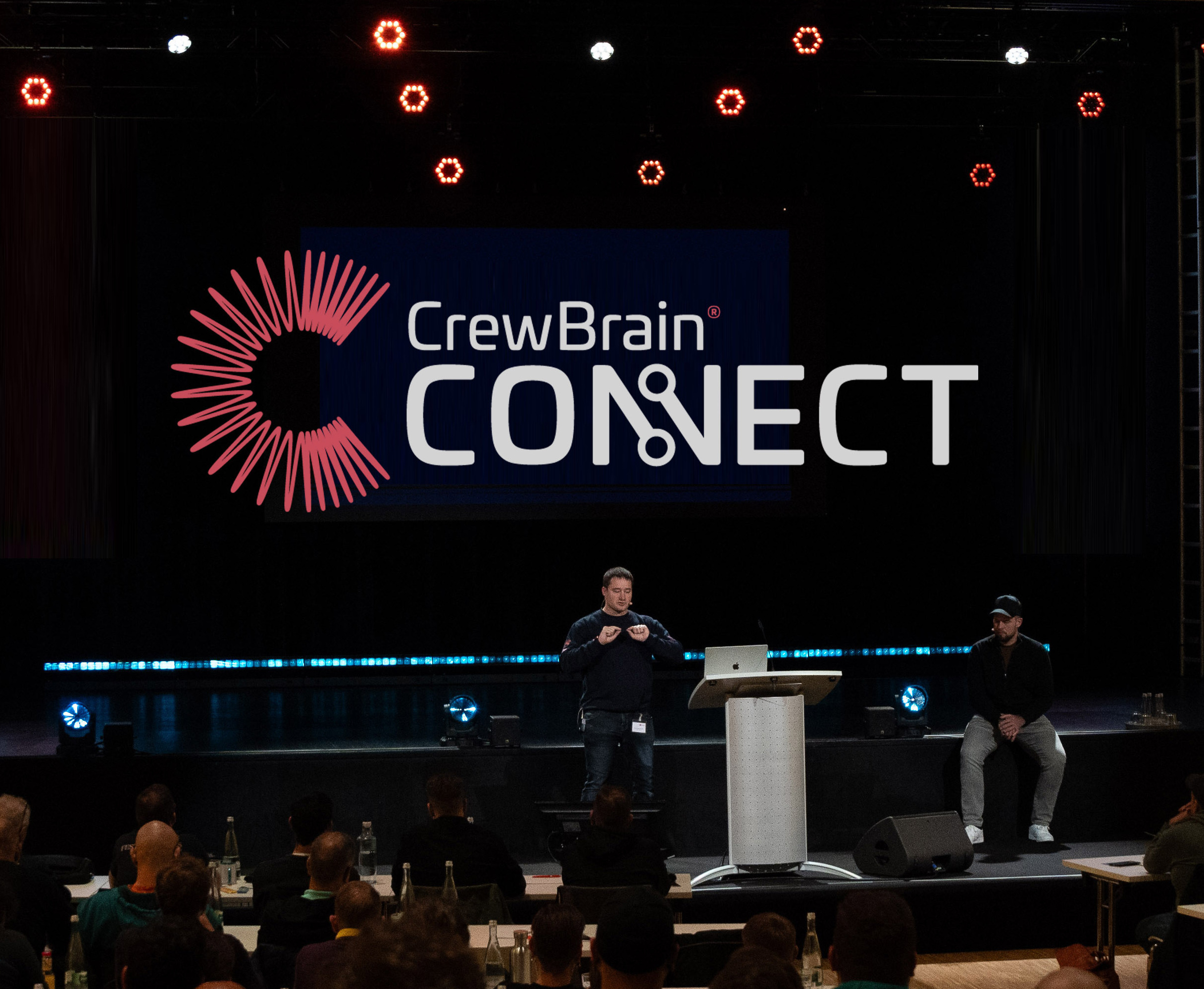 |