
In the dynamic world of event organization, it is essential to keep track of the personnel deployed and at the same time ensure efficient access controls. CrewBrain has developed an innovative solution for this: the digital employee and access badge.
Individual design and easy handling
The new ID cards can be individually configured in the system. The company logo and the background colors of the upper and lower areas can be adapted to match the corporate design of the company. Each badge also contains a profile picture, the name and optionally the employee’s personnel number. An integrated QR code makes it possible to verify the validity of the badge with any smartphone, even without the CrewBrain app.
Access and validation of the digital ID card
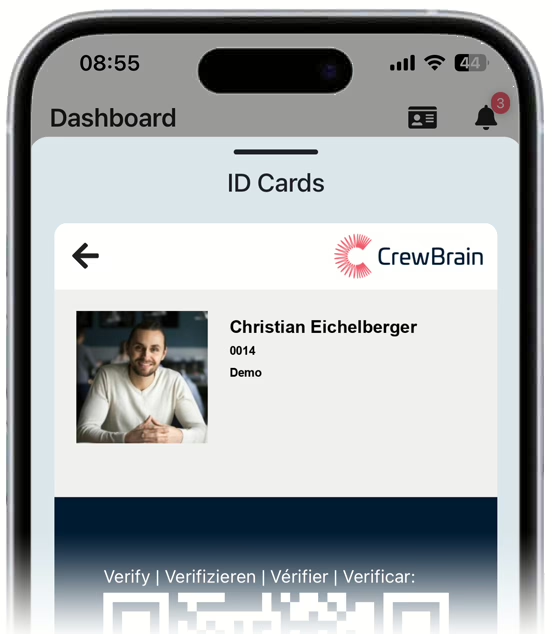
Employees can access their digital ID directly via the CrewBrain app dashboard. This makes it easier to gain entry to events, for example, as proof of company affiliation can be provided quickly, while the QR code on the ID card allows third parties to view the employee’s current place of work and planned working hours. To ensure data protection, the QR code is updated at least once a day so that older codes lose their validity and permanent monitoring is ruled out.
Analog ID cards with RFID technology
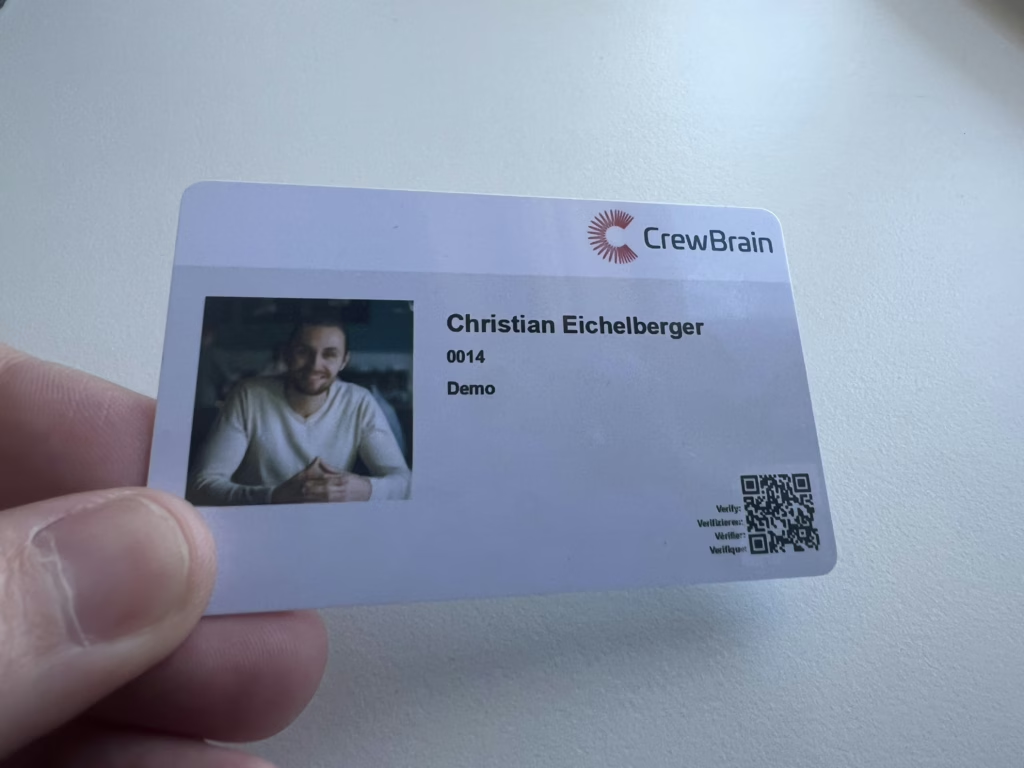
In addition to the digital version, CrewBrain also offers the option of using ID cards in credit card format with RFID functionality. These analog ID cards have similar functions, but the current location is not displayed for data protection reasons, as the QR code on the printed cards is static. CrewBrain support is available for further information or a quote for the analog ID cards.
With the introduction of the digital employee and access badge, CrewBrain is setting new standards in personnel management and access control by combining flexibility, security and user-friendliness.
This post is also available in de_DE.


